Music, made visible.
MScopes is a free, open-source music visualizer for the Mac. It listens to whatever your Mac plays and paints it: every classic Winamp AVS preset, faithfully, and a modern GPU engine beside it.
Free · version 0.7 · 4 MB disk image, signed and notarized · macOS 14.4 or later · Apple silicon and Intel
Everything moving on this page runs live in your browser, ported from the app. Press play and it follows the beat; drag across it to stir.
Hears your Mac
Whatever is playing.
Apple Music, Spotify, a browser tab, a DAW. MScopes listens through a system audio tap, so it reacts to the digital signal itself, at any volume, on speakers or headphones. No cables and no loopback driver: macOS asks once for permission on first launch.
It follows each app as it starts and stops playing, and the audio never leaves your Mac: it is analyzed in memory to drive the picture, never recorded.
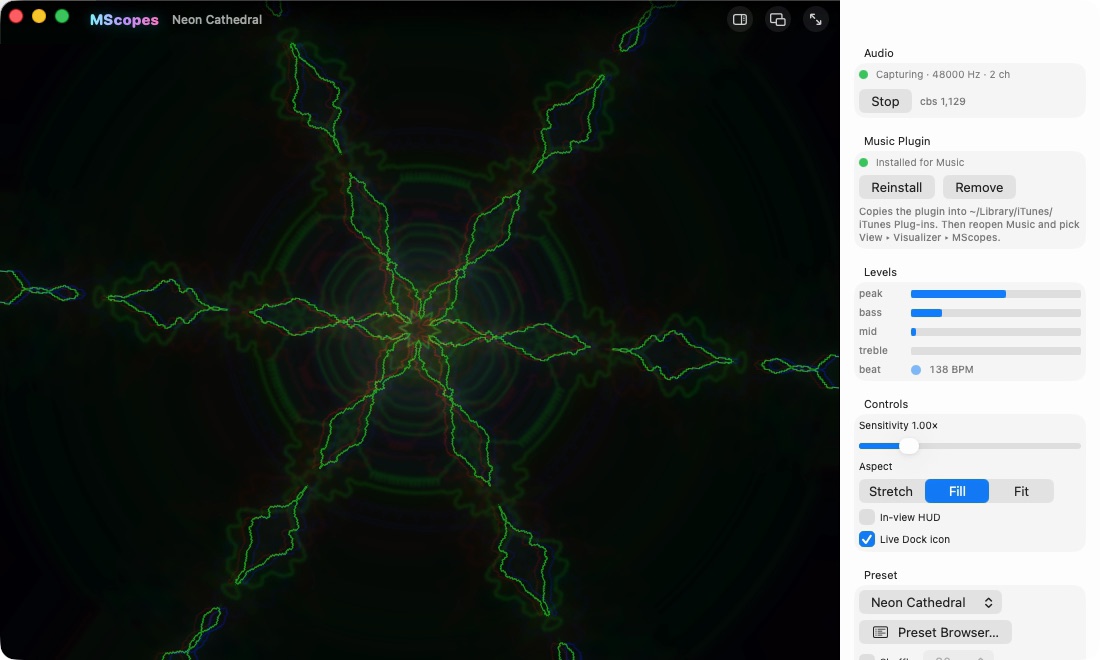
Classic AVS, faithfully
Decades of presets, as they looked.
MScopes plays the Winamp-era AVS preset language on its own engine: nested effect lists with every blend mode, Superscope, Dynamic Movement, Texer II, Color Modifier, Global Variables, the common APEs, all running on its own EEL virtual machine. Line modes, 8-bit truncation and list persistence are reproduced, so old presets look the way they did. Across a community archive of 13,440 presets, all but ten load and render.
Below: presets from the Winamp era, unmodified .avs files played by MScopes. They are the work of their original authors and are not part of MScopes. A short history of Winamp and its visualizers.
Where to find AVS presets
MScopes comes with its own presets. The thousands of classic .avs presets are community art you bring yourself, and they are easy to find:
- From an old Winamp install. Copy
Winamp\Plugins\avs\from a Windows PC (usually underC:\Program Files): it holds every preset and pack you ever installed. - From the community archive. The visbot archive keeps hundreds of AVS packs by their original artists, and WinampHeritage lists more. Many packs were Windows installers (
.exe); The Unarchiver opens them on a Mac and gives you the.avsfiles inside. - Point MScopes at the folder. In the Preset Browser (⌘B) choose Library, then Choose Library Folder. Every
.avsunderneath is listed and searchable, and numbered sequences become albums that play in order.
A modern engine
The same stack, new tricks.
Beside the classic effects: bloom, kaleidoscope, chromatic aberration, shockwaves, glitch, anamorphic streaks, lens, radial blur, edge glow, CRT, a phosphor vectorscope, and pixel shaders written in EEL and translated to Metal. A zero-copy Metal backend holds a steady 60 frames a second, paced by the display.
Simulations
Fluids and living patterns.
Some presets are simulations. Ink stirs coloured dye through a real fluid solver, one emitter each for the lows, mids and highs. Coral grows reaction-diffusion patterns that surge when the music is loud and sprout on every kick. In the app they run in Metal; these two are the same simulations running in your browser.
It hears the drums
Kick, snare, hi-hat.
MScopes tells the drums apart, so a shockwave can fire on the kick and a glitch on the snare. It splits the sound into 32 bands that each set their own gain, so quiet treble moves as visibly as the bass, holds a steady tone still in the scope, and hands scopes every sample since the last frame.
Preset scripts read all of it: kick, snare, hat, level, bass_att and more, beside the classic AVS variables.
Here the lights follow the demo beat's own drum track; the app finds them in whatever you play.
Picture
One screen of looks.
Colour looks, glow, film grain, vignette and scanlines over any preset, or your own .cube look from a photo or video tool. They change only what reaches the screen, never the frame a preset feeds back, so classic presets still behave exactly as authored. Below, the app's own look tables, applied live.
Smooth where it counts
Clean lines, bright highlights.
Scopes, lines and dots are anti-aliased at sub-pixel precision as they are drawn, so the trails built from feedback stay smooth too, and presets render at the display's full resolution when they hold 60 frames a second there. Classic presets stay pixel-exact unless you ask for Enhanced.
On XDR and other extended-range displays, light that would clip at white shines brighter than white instead.
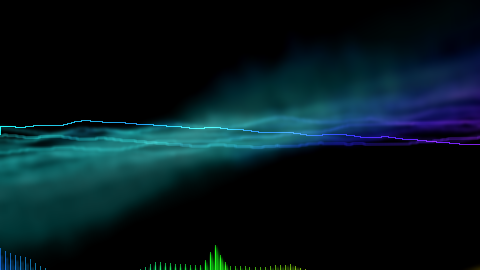
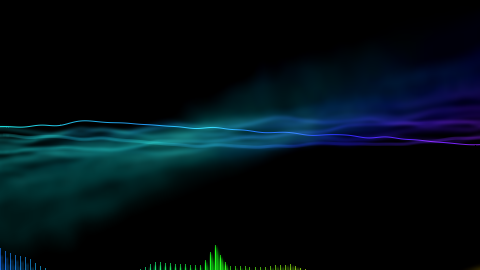 AuthenticSmooth
Inside Apple Music
A visualizer plugin for Music itself, installed with one click from the app.
Your preset library
Point MScopes at a folder and every .avs inside is listed and searchable. Numbered sequences become albums that play in order. Where to find presets.
Why "MScopes"?
A scope, short for oscilloscope, draws sound as a moving line: the first music visualizer. AVS's best-loved effect was the SuperScope, a scope you program. MScopes is scopes for music, on the Mac. More on scopes.
Made to be left on
A floating widget mode for a corner of the desktop, full screen for parties, and a Dock icon that dances along.
Open source
Read it, build it, change it.
MScopes is BSD 3-Clause, built from one public repository: a portable C++ engine with its own EEL virtual machine, a headless vizrender tool that turns a preset and a WAV into frames, and the macOS app on top. It is a fresh implementation of the classic effects, not a fork of the Winamp source, and its self-tests run on macOS and Linux.
git clone https://github.com/GarAlex/mscopes
cd mscopes
tools/run-tests.sh          # engine + self-tests
mkdir -p frames
build/cmake/vizrender --builtin "Neon Cathedral" \
    --audio track.wav --out frames/
Free, for your Mac.
Free · version 0.7 · 4 MB disk image, signed and notarized · macOS 14.4 or later · Apple silicon and Intel
New in 0.7
- Simulations: Flow Field, Ink, Coral and Nebula.
- Kick, snare and hi-hat detected separately; effects react to the drum they choose.
- 32 bands that set their own gain, a steady scope, and the Phosphor vectorscope.
Not on the Mac App Store: its sandbox blocks the system audio tap the app is built on. Every release, with notes and checksums, is on GitHub Releases.